Two Way : Walkie Talkie
- 3.8
- Rating
- 1.00M
- Installs
- Free
- Price

 Analysis by App-foxy
I tend to judge communication apps by what happens in the first minute: can I get someone else connected without creating an account, searching through settings, or explaining a complicated invitation process? Two Way: Walkie Talkie takes a very direct route. It is a free communication app from Vinay Selvaraj, built around the idea of choosing a channel and speaking rather than maintaining a contact list or profile. That simplicity is its strongest quality, but it also means the experience depends heavily on the people using it and the situation around them.
After spending time with it, I see it as a focused tool for quick voice contact, not a replacement for a full messaging platform. It suits people who want a lightweight push-to-talk style conversation for a family outing, a small group activity, or a short coordination task. It is less convincing for users who need polished group management, written records, rich media, or carefully controlled privacy. The app has been available since November 8, 2014, and its current version is 2026.5, so it is not a brand-new experiment; it is a mature idea that remains intentionally narrow.
How the simple layout affects readability and navigation
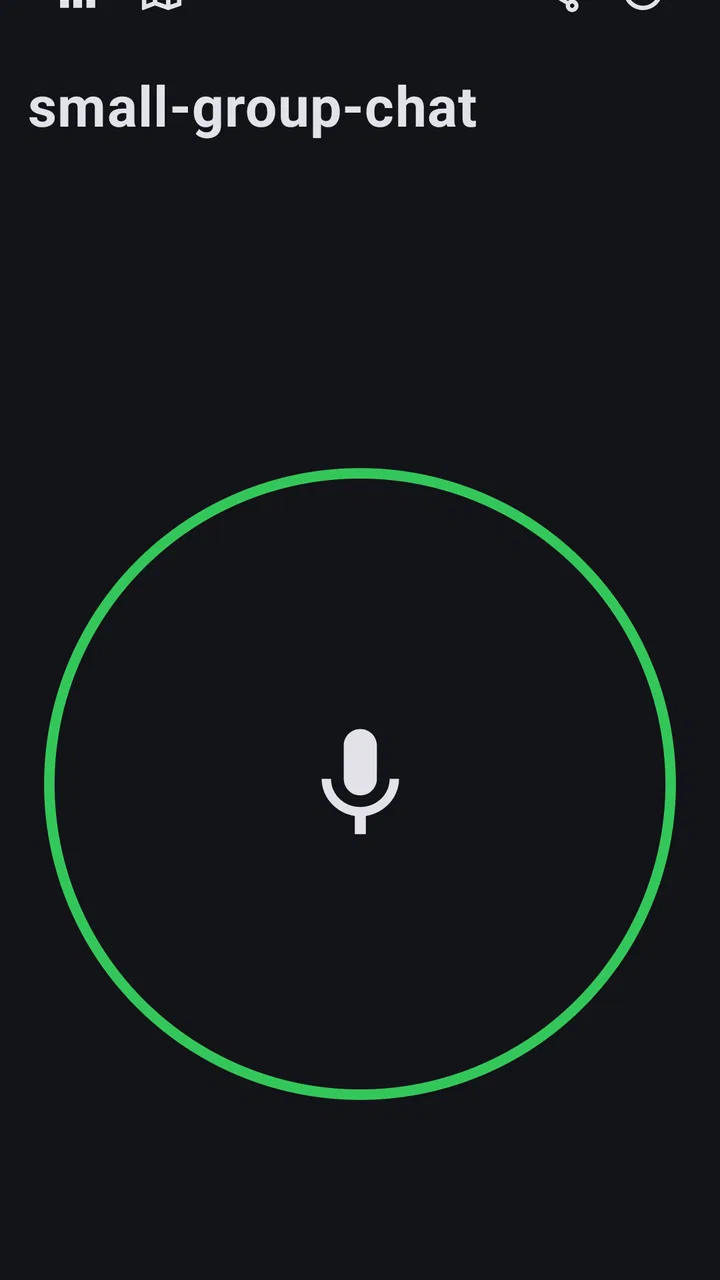
The first thing I noticed is that Two Way: Walkie Talkie does not appear to make communication feel like a social network. There is no need to build a public identity before trying the core function. The central mental model is easy to explain: people meet on a channel, then use voice. For someone who finds account creation, verification screens, and contact discovery tiring, that reduction can make the app feel much more approachable than ordinary chat services.
You May Also Like

 Blood Strike: 2.5 Anniversary
Blood Strike’s Loadouts Turn Every Drop Into a Tactical Gamble
A close look at Blood Strike’s custom loadouts: how fast access to signature weapons reshapes its battle royale rhythm, rewards preparation, and narrows the gap between fights.

 Pandora - Music & Podcasts
Pandora’s Music Is Easy to Start, but Harder to Recover
Pandora’s strength is its low-effort path from a seed to a station. Its weak spot is how much confidence it asks you to place in connection, setup, and quiet recovery.

 8 Ball Pool
 Is Built on Rivalries, Rematches, and Routine
A close look at the rivalries, rematches, shared routines, and unanswered safety questions that turn a quick pool match into a persistent mobile community.

 Samsung Music
’s Quiet Strength Is Playing What You Already Own
Its reach comes less from spectacle than from dependable access to a personal library. That simplicity is both the app’s strongest retention engine and its ceiling.

 AccuWeather: Weather Radar
AccuWeather Review: A Quick, Clear Forecast for Everyday Decisions
For everyday plans, the best forecast is the one you can understand quickly. AccuWeather makes rain timing, radar, and local conditions easy to act on, with a few trade-offs.

 Hill Climb Racing
Why Hill Climb Racing Still Turns Crashes Into One More Run
A tiny car, a bumpy hill and one more upgrade: Hill Climb Racing keeps resurfacing because its simple chaos makes every near-miss feel personal.
More From Our News Desk



That simplicity is especially useful when I am helping someone else get started. Instead of explaining usernames, invitations, or a sequence of permissions and profile choices, I can describe the basic workflow in plain language. Pick the same channel, check that everyone is ready, and talk. The app’s store summary captures that stripped-down purpose, but the practical benefit is that a first-time user has fewer concepts to remember.
Readability is not only about large text. It is also about whether the screen communicates one clear next action. A walkie-talkie interface generally has an advantage here because it does not need to display a long conversation history, multiple tabs, or a crowded inbox. For users with attention difficulties, cognitive fatigue, or limited confidence with smartphones, a single-purpose screen can reduce the chance of getting lost.
There is a trade-off, though. A minimal interface can provide less guidance when something goes wrong. If another person cannot hear me, I may need to reason through several possibilities: are we on the same channel, is the device connected, is the microphone available, or is the other person simply not listening at that moment? A larger communication service often explains its connection state more visibly because it has more established messaging controls. Two Way’s uncluttered approach is pleasant when everything works, but it may offer less reassurance during troubleshooting.
I also would not assume that a simple screen automatically works for every reader. Text size, contrast, icon shape, and the phone’s own display settings can affect comfort. Someone with low vision should try the app on their device rather than relying on the promise of simplicity alone. The reduced number of controls helps, but it does not remove the need for readable labels and clear visual feedback.
Why the lack of an account can help some users
The no-account approach changes who can participate. A person who avoids signing up for services, cannot easily manage another password, or does not want a profile attached to casual communication may appreciate the lower entry barrier. It also makes the app easier to suggest in a spontaneous setting, because the conversation can begin with the channel rather than with a registration process.
At the same time, this design removes conveniences people have learned to expect. I cannot treat it like a personal address book where my groups, names, and conversations are always organized for me. If I use it with different people, I need a reliable way to tell them which channel to use and when. That is a small burden for a temporary activity, but a more noticeable one for repeated communication.
My practical advice is to agree on a channel before separating from the group and to say the channel information aloud or write it down in advance. This is one of the app’s less obvious workflow requirements: the lack of setup is helpful only when the group supplies its own simple routine. Without that routine, people can end up talking past one another while believing they are connected.
Motor, hearing, vision, and sensory considerations
A voice-first tool can be valuable for people who find typing slow, painful, or unreliable. If my hands are occupied with carrying equipment, supervising children, or moving through an activity, speaking can be more practical than opening a keyboard and composing a message. That makes Two Way a potentially useful option for short exchanges where speed matters more than a written record.
There is also a motor trade-off. Walkie-talkie-style communication commonly depends on a deliberate touch action, and that can be awkward for someone with tremors, reduced dexterity, joint pain, or difficulty holding a phone steadily. I would test the physical interaction before relying on it for an important activity. A conventional messenger may be better for a user who can type with an alternative input method but struggles to maintain a press or tap at the right moment.
Voice communication creates a different set of barriers for deaf and hard-of-hearing users, people with auditory processing differences, and anyone in a loud environment. A spoken exchange is not automatically accessible just because it is quick. If a message is important, I would confirm it through another method rather than assuming every participant heard the same thing. This is a key limitation: the app’s central strength is also the format that excludes users who need dependable text or visual confirmation.
People with speech differences may also find a voice-only workflow less comfortable, particularly if the group is unfamiliar with their voice. That does not mean the app cannot be used, but it does mean the group should agree not to mistake a missed or unclear transmission for a technical failure. In a mixed-ability group, a companion text channel may be necessary for names, numbers, directions, or anything that must be understood exactly.
For users sensitive to sudden sounds, the surrounding environment matters as much as the app. A voice exchange can be distracting in a quiet room, startling in a shared space, or difficult to follow when several people speak nearby. Headphones may improve privacy and clarity for some people, while creating awareness and safety concerns for others. I would avoid treating headphones as a universal solution, especially outdoors or near traffic.
The most useful inclusive habit is to establish a communication rhythm. One person speaks at a time, key instructions are repeated, and the listener confirms receipt with a short response. That is not a special feature; it is a human workaround for the limitations of live voice. With this routine, the app can work better for people who need extra processing time or who are communicating in a noisy setting.
When voice is more practical than a full chat history
I can imagine using Two Way during a family day at a large outdoor venue. One person stays near an entrance while another takes children to a different area. A quick voice exchange can be easier than opening a conventional messenger, finding the right conversation, typing a message, and waiting for someone to notice it. The app’s narrow purpose makes sense here because the group is coordinating in the moment rather than documenting a long discussion.
For a volunteer activity or a small hobby group, the same approach can reduce the friction of repeated short updates. Someone can announce a change in meeting location, ask who has arrived, or tell another person that a task is finished. The benefit is not that the app offers more communication power than a standard messenger; it is that it keeps the interaction close to the rhythm of spoken coordination.
However, live voice is a poor fit when people need to review details later. A written message is better for an address, a shopping list, a schedule, a medical instruction, or a sequence of steps. I would use Two Way as the quick layer and another tool as the record-keeping layer. Expecting one simple walkie-talkie app to provide both would create avoidable confusion.
Access in everyday situations and different environments
The app is listed for Everyone and requires Android 6.0 or later, which gives it a broad device target among compatible Android phones. Its free price also removes one obvious barrier for people who want to try it before committing. The audience is substantial, with over one million installs, and the average rating is around 3.8 from roughly eight and a half thousand ratings. Those figures suggest a recognizable, useful concept with room for individual experiences to vary rather than a universally perfect tool.
Compatibility is only one part of situational access. A person may have a supported phone but still face limited data access, weak connectivity, low battery, or a device shared with other family members. A channel-based voice tool is most useful when participants can connect at the same time. I would not make it the only communication method for an emergency, a remote journey, or an activity where a failed connection could put someone at risk.
Privacy also deserves a practical conversation before use. Since the app is designed around channels rather than personal contact management, the group should avoid saying sensitive information aloud unless everyone understands who may be able to hear it. This is particularly important in public places, shared buildings, workplaces, and events where nearby people may be listening. The absence of an account is convenient, but it should not be confused with a guarantee that spoken conversations are private.
For children, the Everyone age classification makes the app appear approachable, but supervision still matters. A parent or organizer should explain which channel to use, when to speak, and what information should never be shared. The app can simplify contact within a known group, but it does not replace basic digital and physical safety rules.
One useful workflow is to assign a channel for a single activity rather than treating it as a permanent public room. For example, a group can use one channel during a day trip, then stop using it afterward. This keeps the mental model simple and reduces the chance that an old channel becomes confused with a new event. It also makes the app easier for people who struggle with remembering many ongoing groups.
Another worthwhile habit is to perform a short sound check before the group separates. Each person can speak once, confirm that they can hear, and identify what to do if the connection fails. This catches the most frustrating problem early: discovering only after someone walks away that the channel, microphone, speaker, or listening routine was misunderstood.
Where the streamlined design still creates barriers
The biggest limitation is that Two Way is intentionally not a complete communication suite. I would skip it if I needed dependable text chat, searchable history, file sharing, individual contact controls, or a carefully organized set of permanent groups. Established messaging apps are stronger for those jobs because they combine voice with written context and identity management.
I would also hesitate to recommend it as the only option for a group with varied hearing abilities or speech preferences. A voice-only workflow can make one participant responsible for repeatedly asking others to rephrase or repeat themselves. That is not an accessibility problem the user should have to solve alone. If the group cannot agree on a parallel text method, another app may be a fairer choice.
Channel coordination is another source of friction. The app removes account setup, but the group still needs a shared convention. A wrong channel can look like silence, and silence is difficult to diagnose when there is no visible conversation history to show whether messages were sent. I would write the channel instruction in a group note or send it through an existing service before asking everyone to depend on the app.
There is also a social limitation. Walkie-talkie communication can encourage interruptions, clipped explanations, and accidental oversharing. People who are anxious about speaking spontaneously may prefer the pause and editing time of text. Users with speech-related disabilities may need a group that is patient and familiar with their communication style. The app does not remove those interpersonal demands; it makes them more noticeable.
Finally, a simple interface can be less satisfying for users who want visible confirmation of delivery, an archive of decisions, or a polished way to manage several conversations. I do not consider that a flaw in the narrow concept, but it is a reason to choose carefully. The app works best when the task is temporary, spoken, and shared by a small group that already knows how it will coordinate.
My inclusive verdict on Two Way
Two Way: Walkie Talkie earns its place as a focused communication utility because it gets out of the way. The free app from Vinay Selvaraj is easy to explain, does not require an account for its basic concept, and can make short voice coordination feel more immediate than a conventional messenger. Its current version, 2026.5, supports an idea that remains useful: sometimes people need a simple shared channel rather than another social inbox.
I would recommend it to families, small activity groups, event helpers, and friends who need quick voice contact without building a formal online presence. I would especially consider it when typing is inconvenient and when everyone can hear clearly, follow a one-speaker-at-a-time routine, and agree on a backup method. Those conditions bring out the app’s best qualities.
I would choose a fuller messaging platform instead when written accessibility, searchable records, media sharing, identity management, or reliable long-term group organization matters. I would also avoid making it the sole safety channel in situations where connectivity, hearing, speech, or environmental noise could interrupt communication. Its inclusive value depends less on adding complexity and more on pairing its simplicity with thoughtful group habits.
My final view is positive but specific: this is not the app I would install for every conversation, yet it is a sensible tool for the right kind of conversation. If your goal is to get a known group speaking quickly, and you are willing to plan for hearing, motor, privacy, and backup needs, Two Way can be refreshingly direct. If your group needs communication that remains readable, reviewable, and flexible after the moment has passed, a conventional chat app will serve you better.
FAQs for Two Way : Walkie Talkie
01What is Two Way: Walkie Talkie and how does it work?
Two Way: Walkie Talkie is a real-time communication app that transforms your smartphone into a walkie-talkie. It allows users to instantly connect with others by pressing and holding a button to talk, just like a traditional walkie-talkie. The app uses internet data to transmit voice messages, making it a convenient tool for quick communication.
02Is Two Way: Walkie Talkie free to use?
Yes, Two Way: Walkie Talkie is free to download and use. However, it requires an internet connection, either through Wi-Fi or mobile data, to function. While there are no charges for the app itself, data usage fees may apply depending on your internet plan with your service provider.
03Does Two Way: Walkie Talkie require registration or login?
No, Two Way: Walkie Talkie does not require users to register or log in. This makes it easy to use right after installation. Simply open the app, choose a channel, and start communicating. The lack of registration ensures privacy and quick access for users.
04Can I use Two Way: Walkie Talkie offline or without an internet connection?
No, Two Way: Walkie Talkie cannot be used offline as it relies on an active internet connection to transmit voice data. The app requires either Wi-Fi or mobile data to function, making it essential to have a stable connection for effective communication.
05Is Two Way: Walkie Talkie secure for private conversations?
While Two Way: Walkie Talkie offers a convenient communication method, it is not designed for highly secure or private conversations. Channels are public, meaning anyone can tune in. For sensitive communication, it's recommended to use secure messaging apps with end-to-end encryption.
Pros
- Instant communication
- no setup required.
- Free to use with basic features.
- Supports group chats for team use.
- Minimal battery consumption.
- Works over Wi-Fi and mobile data.
Cons
- Limited range compared to real walkie-talkies.
- Audio quality can vary with connection.
- No offline messaging capability.
- Occasional ads in the free version.
- Requires internet for all functions.

Two Way : Walkie Talkie
Gallery